 PickGuide
xTool M2 Color Craft Review: Laser and CMYK Printer From $499
Most desktop laser machines do one thing: they burn. The M2's pitch is that it also prints - a CMYK inkjet head drops into the same gantry, so a sticker can be printed in full colour and then cut to its own outline without moving the material. That is a genuinely different machine from a plain diode cutter, and it is also where most of the confusion about the price comes from, because the cheapest M2 does not include the inkjet at all. Here is what each of the twelve configurations actually is, what the published specifications say, and what xTool charges you if you send it back.
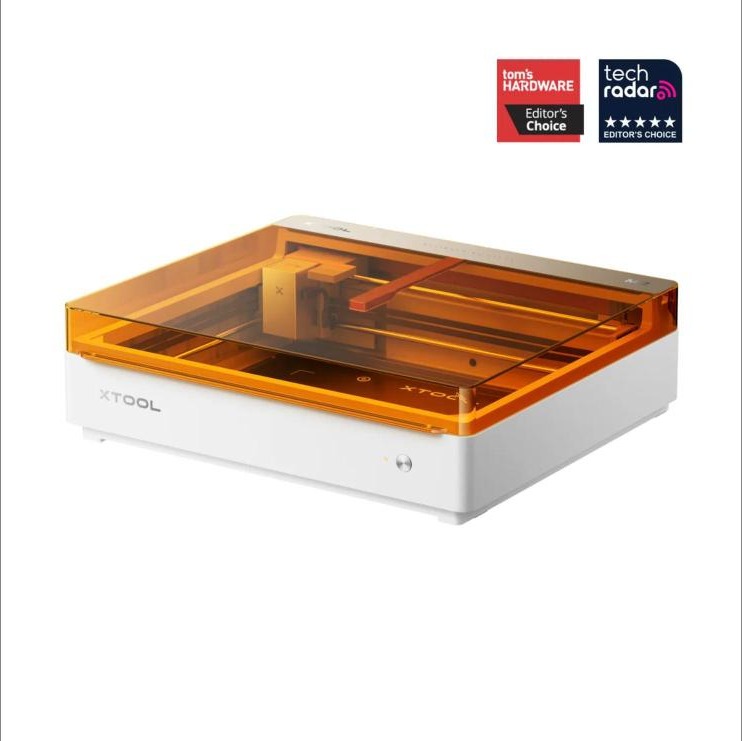
The M2 Color Craft is an enclosed desktop machine built around two interchangeable heads. The laser side is a blue diode offered at 10W, 20W or 40W, with an optional 3W infrared module sold as an add-on for metals. The printing side is a CMYK inkjet module, also an add-on, which is what turns the machine from a cutter into a print-then-cut device. Working area is 426 by 320 mm on the 10W and 20W, dropping slightly to 426 by 312 mm on the 40W, and 300 by 284 mm in inkjet mode. Maximum speed is 600 mm/s. Cutting depth in one pass scales with the laser: basswood at 8 mm on the 10W, 10 mm on the 20W and 15 mm on the 40W, with black acrylic at 3 mm, 8 mm and 11 mm respectively. Positioning is handled by two cameras - a 5MP panoramic and a 2MP close-range - with autofocus and a probe for ranging, giving a stated positioning precision of up to 0.2 mm, or 1.5 mm on wide-angle. Motion accuracy is listed at 0.01 mm. The machine ships pre-assembled, weighs 12.3 kg, measures 610 by 569 by 180 mm and is TUV SUD certified to Class 1 laser safety, which is the enclosed category that does not require goggles in normal use. Software is xTool Studio on Windows and macOS over USB or Wi-Fi. Twelve variants exist: three laser powers times four packages, from a Standalone at $499 that excludes the CMYK inkjet, through Color Print and Cut Bundle, Deluxe Bundle, and All-in-One Bundle at the top.
Pros
- One machine prints in full CMYK and then cuts the outline, which no plain diode laser does at this price
- Class 1 enclosed with TUV SUD certification, so it is the safer category of desktop laser and does not need goggles in normal operation
- All twelve configurations were in stock at the time of writing
- Specifications are published in unusual detail - spot size per power, positioning precision, ranging precision, motion accuracy, input power and voltage are all stated
- Pre-assembled out of the box, with autofocus and dual-camera positioning rather than manual alignment
- Free US standard shipping on machines, delivered in 1 to 3 business days
- Returns inside 14 days carry no service fee at all, which is more generous than most machine sellers
- xTool holds 4.2 out of 5 on Trustpilot from 1,597 reviews - a large enough sample to be meaningful
Cons
- The $499 headline is a Standalone that does NOT include the CMYK inkjet, so the print-then-cut feature everything is sold on costs at least $599
- Only 45 reviews on this product page - a small sample for a machine in this price range
- Return service fees after day 14 are steep: 10 percent unopened, 15 percent opened but unused, and 30 percent on an opened and used machine, calculated on the total order including tax and shipping
- A returned machine must have lasered fewer than 50 times, which is a very short trial for a tool like this
- xtool.com ships only to the US, New Zealand, South Africa and Singapore. Canada, Australia, the UK, Europe and Japan have to use separate regional storefronts
- Additional shipping fees apply to Hawaii, Alaska, Puerto Rico, New Zealand, South Africa and Singapore, calculated at checkout
- Materials and filters bought separately cannot be returned at all
- Warranty is 12 months, which is standard but short for a machine at the $1,899 end of the range
- The 40W loses a little bed depth - 312 mm against 320 mm on the lower powers
Who It's For
Good For
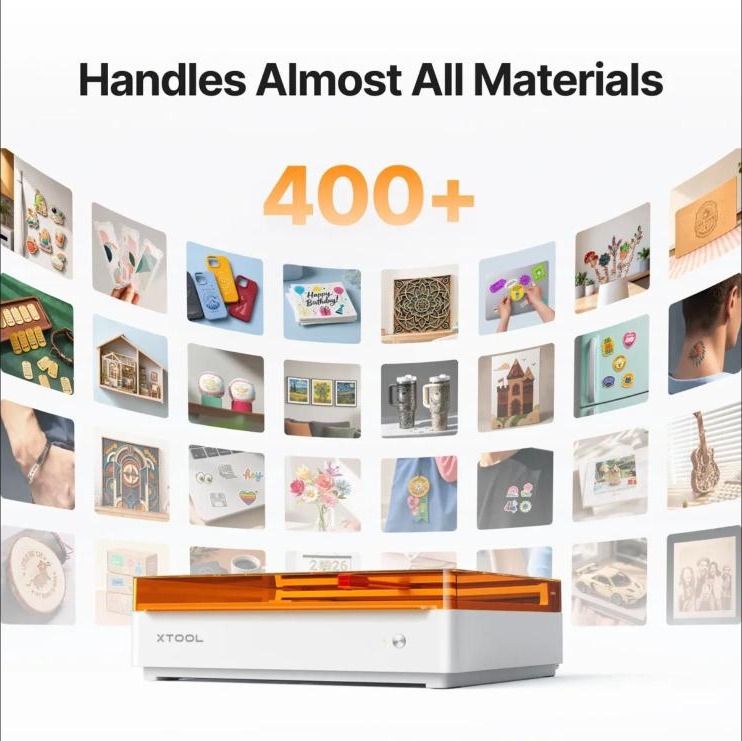
- Sticker, decal and label makers, where print-then-cut in one pass is the whole job
- Small craft businesses that want colour output without buying a printer and a cutter separately
- Anyone who wants an enclosed Class 1 machine rather than an open-frame diode in a shared room
- Buyers in the US, where machine shipping is free and arrives in 1 to 3 business days
- People cutting basswood and acrylic regularly - 15 mm basswood in one pass on the 40W is real capability
Skip If
- You only want to engrave metal - that needs the 3W infrared add-on, and a fibre or MOPA machine is the better tool
- You are outside the US, New Zealand, South Africa or Singapore and would rather not deal with a separate regional storefront
- You expect a long trial period - past 14 days a change of mind costs 15 to 30 percent plus return shipping
- You need a bed larger than roughly 426 by 320 mm
- You want a long buying history to read before committing - 45 reviews is thin for this money
How It Compares: xTool M2 Color Craft Laser Cutter and Engraver vs xTool X1 Next-Gen All-in-One Laser Cutter and Engraver
| Spec | xTool M2 Color Craft Laser Cutter and Engraver | xTool X1 Next-Gen All-in-One Laser Cutter and Engraver |
|---|---|---|
| Price | $499 to $1,899 | $3,399 to $8,679 |
| Laser type | 10W, 20W or 40W blue diode | 55W CO2, optional 20W diode, 5W UV, 60W MOPA or 30W fibre |
| Working area | 426 x 320 mm (312 mm on 40W) | 615 x 320 mm surface engraving |
| Max speed | 600 mm/s | 600 mm/s on CO2 |
| CMYK printing | Yes, as an add-on module | Yes |
| Metal capability | 3W infrared add-on only | Fibre and MOPA options, plus metal embossing at 415 x 225 mm |
| Variants in stock | 12 of 12 | 15 of 15 |
The X1 starts at nearly seven times the M2's entry price and the gap buys a CO2 tube instead of a diode, a wider bed, and real metal options including fibre, MOPA and embossing. If your work is stickers, paper, wood and acrylic, the M2 does it and the X1's extra capability goes unused. If you need to mark metal or engrave inside glass, the M2 cannot be upgraded into that job and the X1 is where the range actually starts.
See xTool X1 Next-Gen All-in-One Laser Cutter and Engraver →
Verified Ratings
Key Specs
| Laser module | 10W, 20W or 40W blue diode - optional 3W infrared add-on |
| Printing module | CMYK inkjet, sold as an add-on - not in the Standalone package |
| Processing modes | Laser cutting, laser engraving, inkjet printing |
| Working area | 426 x 320 mm on 10W and 20W, 426 x 312 mm on 40W, 300 x 284 mm in inkjet mode |
| Max cutting - basswood | 8 mm at 10W, 10 mm at 20W, 15 mm at 40W, one pass |
| Max cutting - black acrylic | 3 mm at 10W, 8 mm at 20W, 11 mm at 40W, one pass |
| Max speed | 600 mm/s |
| Cameras | 5MP panoramic plus 2MP close-range, camera positioning |
| Precision | Positioning up to 0.2 mm (1.5 mm wide-angle), ranging 0.1 mm probe, motion 0.01 mm |
| Rotary capacity | 0 to 100 mm diameter |
| Safety | Class 1 laser safety, TUV SUD certified, enclosed |
| Dimensions and weight | 610 x 569 x 180 mm, 12.3 kg |
| Power | 200 W max input, 100-240 V AC 50/60 Hz adapter |
| Software | xTool Studio on Windows and macOS, USB or Wi-Fi |
| Warranty | 12 months |
| Price range | $499 Standalone 10W to $1,899 All-in-One 40W - twelve variants, all in stock |
| On-site rating | 45 reviews at time of writing |
In The Box
- 1 x xTool M2 Color Craft machine, pre-assembled, in the laser power selected
- Laser module at 10W, 20W or 40W depending on variant
- CMYK inkjet module - included in the Color Print and Cut, Deluxe and All-in-One bundles only, not in the Standalone
- Additional accessories vary by bundle tier - confirm the contents list on the variant before ordering
Frequently Asked Questions
Does the $499 version print in colour?
No. The $499 variant is the 10W Standalone and xTool's own variant name says CMYK inkjet not included. The cheapest configuration that prints is the 10W Color Print and Cut Bundle at $599. On the 20W the equivalent step is $899 to $999, and on the 40W it is $1,299 to $1,399.
Which laser power should I pick?
It mostly decides cutting depth in a single pass. Basswood goes 8 mm at 10W, 10 mm at 20W and 15 mm at 40W; black acrylic goes 3 mm, 8 mm and 11 mm. If you are cutting thin material and printing stickers, the 10W is enough. The 40W is for thicker stock, and it gives up a small amount of bed depth - 312 mm against 320 mm.
Is it safe to use indoors without goggles?
It is certified to Class 1 laser safety by TUV SUD, which is the enclosed classification where the beam is contained during normal operation. That is the safer category of desktop laser. It is still a 200 W machine producing fumes, so ventilation or a filter remains a real requirement regardless of the laser class.
What does it cost to send back?
Nothing in service fees within 14 calendar days of receiving it. Between day 15 and day 30 with no manufacturing defect, xTool charges a service fee on the total order including tax and shipping: 10 percent if the machine is unopened, 15 percent opened but unused, 30 percent opened and used. You also pay the return shipping, the packaging has to be intact, and the machine must have lasered fewer than 50 times.
Where does xtool.com ship?
The .com store ships to the United States, New Zealand, South Africa and Singapore only, and excludes Guam, the US Virgin Islands and the Armed Forces addresses. Machines ship free within the US in 1 to 3 business days. Hawaii, Alaska, Puerto Rico and the three non-US countries pay extra, calculated at checkout. Canada, Australia, the UK, France, Germany, the rest of Europe and Japan are directed to separate regional storefronts.
Can it engrave metal?
Not with the standard blue diode head in any meaningful way. xTool lists a 3W infrared laser as an add-on module for that, and the X1 above it offers fibre and MOPA options. If metal is the main job rather than an occasional one, this is the wrong machine in the range.
Verdict
The M2 Color Craft is the most interesting machine in its price band because the print-then-cut head genuinely removes a step, and xTool publishes enough specification detail that you can check the claims rather than take them on faith. The Class 1 enclosure and TUV SUD certification matter too - this is the category of laser you can run in a room with other people in it. Two things should shape the decision. First, ignore the $499 headline: that configuration has no inkjet, so the feature you are buying the machine for starts at $599 on the 10W and $999 on the 20W. Second, decide inside fourteen days. After that a change of mind costs 15 percent if the box is open and unused, 30 percent if you have run it, calculated on the whole order, and the machine has to have fired fewer than 50 times to qualify at all. xTool's 4.2 from 1,597 Trustpilot reviews is a reasonable record, but this product page itself carries only 45 reviews, so you are buying partly on the brand rather than on this model's history.