 PickGuide
LaserTree K1 Max Review: 60W Large-Format Laser Engraver & Cutter with 800×600mm Work Area
The LaserTree K1 Max is for when the K1 Pro's 400×400mm work area isn't enough. With an 800×600mm engraving surface — twice the width and 50% more depth — the K1 Max steps into large-format territory: full-size cutting boards, framed artwork, wide panels, and projects that simply don't fit on a standard desktop laser. At 60W optical output from 12 combined 6W diodes, it's also the most powerful machine in the K1 lineup, and the three-mode power switch (20W/40W/60W) lets you dial in the right setting for each material without changing hardware.
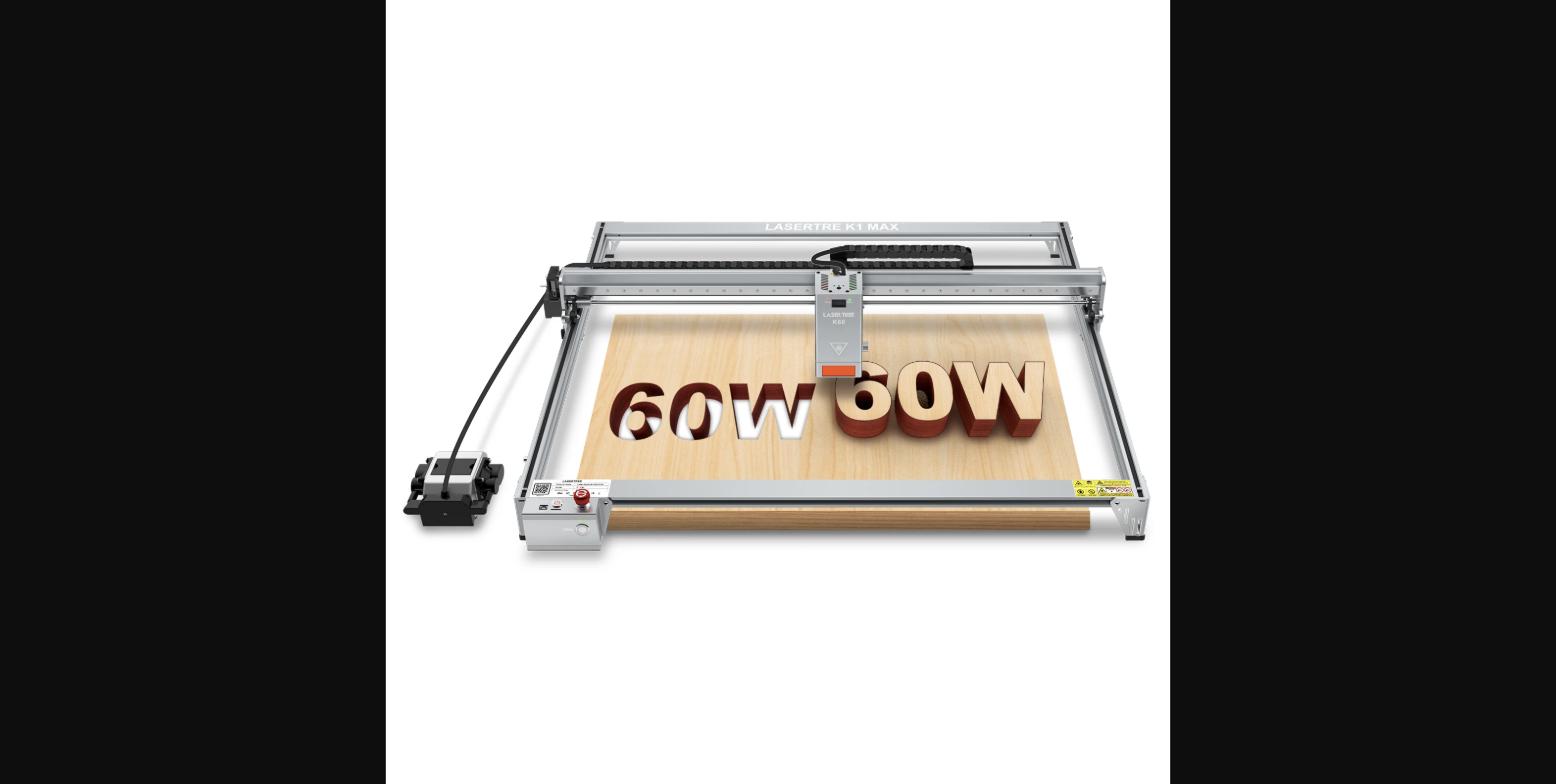
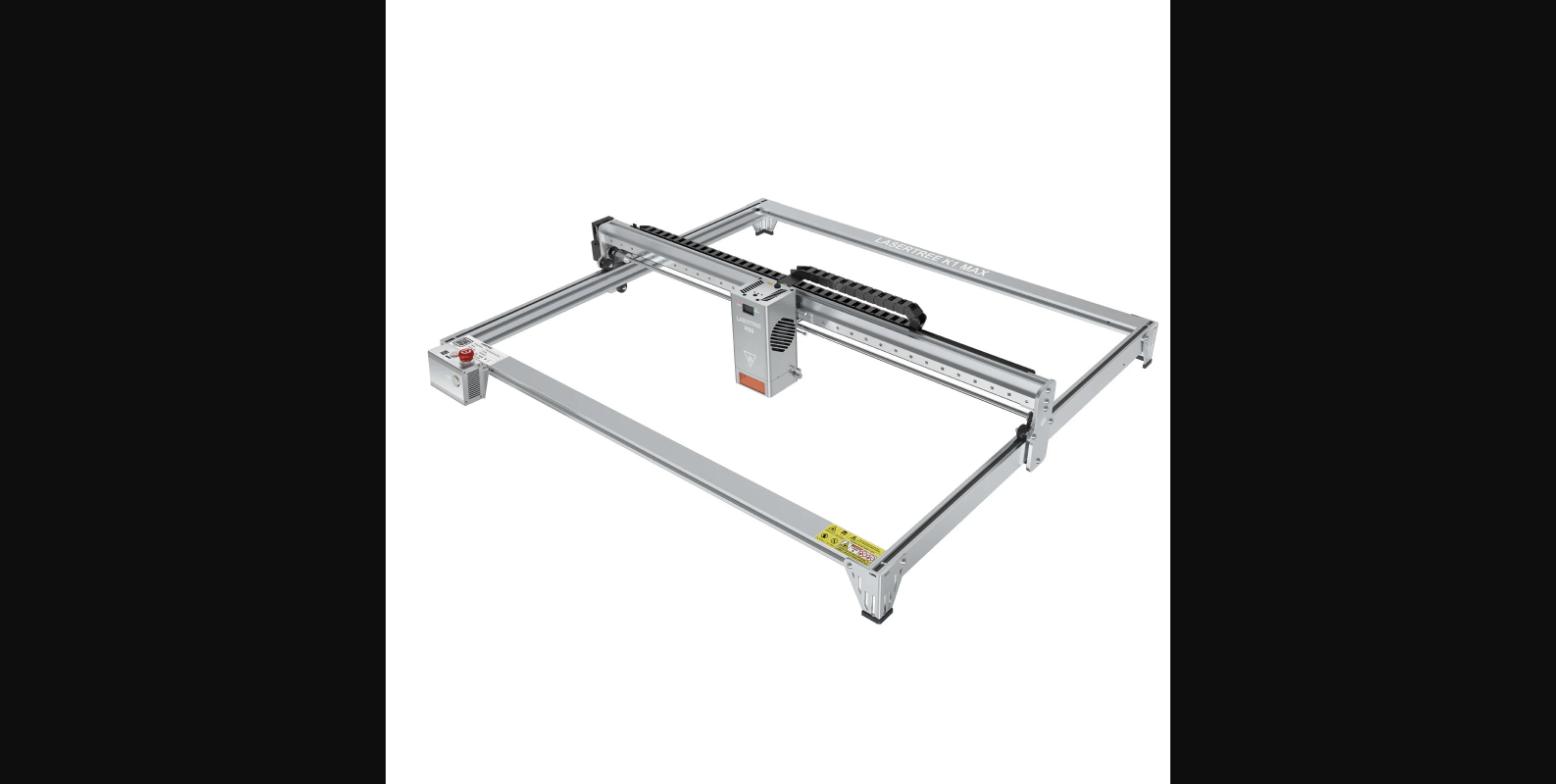
LaserTree K1 Max 60W laser engraving and cutting machine. Optical power: 60W+ (12 × 6W diodes). Power modes: 20W/40W/60W switchable. Work area: 800×600mm. Weight: 17.4 kg. Includes: air assist pump, honeycomb panel, desktop protection plate, card reader, TF card, laser module, spare lens ×2, USB cable. Rating: 5.0/5 (1 review). Price: $1,199. Available at lasertree.com.
Pros
- 800×600mm work area — twice the width of the K1 Pro, fits large cutting boards, wide panels, and oversized engraving projects
- 60W optical output from 12 × 6W diodes — strong cutting power for wood, acrylic, leather, and thick materials
- Switchable 20W/40W/60W power modes — adapt to different materials without hardware changes
- Air assist pump included in the box — reduces charring and improves cut quality without a separate purchase
- Honeycomb panel included — protects the work surface and provides proper airflow underneath the material
- Multiple warehouse options (US, EU, China) — faster shipping and lower import costs depending on your region
- Spare lenses included — practical for extended use without waiting for a replacement to arrive
Cons
- Only 1 on-site review as of this writing — essentially no buyer feedback history to reference
- 17.4 kg weight — requires a dedicated, sturdy table; not a machine you move around frequently
- $1,199 price point — a significant step up from the K1 Pro at $599, justified by the larger frame but not a casual purchase
- 800×600mm frame requires a large table footprint — measure your workspace before ordering
- 60W diode laser has limitations on metal engraving vs. CO2 or fiber lasers at similar price points
Who It's For
Good For
- Makers and small businesses who regularly need to cut or engrave pieces larger than 400×400mm
- Wood and acrylic shops running production work where the K1 Pro's work area is a limiting factor
- Buyers who want an air assist included without building it separately or paying for it as an add-on
- Anyone upgrading from a smaller laser who needs more real estate without switching to a CO2 system
Skip If
- Your projects fit within 400×400mm — the K1 Pro handles that at roughly half the price
- You need to cut metal — diode lasers at 60W can mark some metals but aren't optimized for deep metal cutting
- You don't have a large, dedicated workspace — the K1 Max needs a sturdy, permanent table
How It Compares: LaserTree K1 Max 60W Laser Engraver vs LaserTree K1 Pro 40W Laser Engraver
| Spec | LaserTree K1 Max 60W Laser Engraver | LaserTree K1 Pro 40W Laser Engraver |
|---|---|---|
| Price | $1,199 | $599 |
| Optical power | 60W | 40W |
| Work area | 800×600mm | 400×400mm |
| Air assist | Included | Sold separately |
| Honeycomb panel | Included | Sold separately |
| Weight | 17.4 kg | Lighter |
| Best for | Large-format production work | Desktop cutting and engraving |
The K1 Pro is the right choice for most desktop laser users — 40W, 400×400mm, and $600 less. The K1 Max justifies its price only if you regularly need to work beyond 400×400mm or require 60W output for thicker material cuts. The included air assist and honeycomb panel on the K1 Max partially offset the price difference.
See LaserTree K1 Pro 40W Laser Engraver →
Verified Ratings
Key Specs
| Optical Power | 60W+ (12 × 6W diodes) |
| Power Modes | 20W / 40W / 60W (switchable) |
| Work Area | 800 × 600mm |
| Weight | 17.4 kg |
| Connectivity | USB, TF card, card reader |
| Warehouses | US / EU / China |
In The Box
- 1 × K1 Max laser engraver frame
- Laser module
- Air assist pump
- Honeycomb panel
- Desktop protection plate
- Card reader + TF card
- USB cable
- Spare lens × 2
Frequently Asked Questions
How does the K1 Max compare to the K1 Pro?
The K1 Max has an 800×600mm work area compared to the K1 Pro's 400×400mm — double the width and 50% more depth. The K1 Max also outputs 60W optical power from 12 diodes versus the K1 Pro's 40W, and includes an air assist pump and honeycomb panel in the box. The trade-off is price ($1,199 vs. $599) and machine size — the K1 Max requires a much larger table. If your projects consistently exceed 400×400mm, the K1 Max is the right upgrade; if not, the K1 Pro covers most use cases at half the cost.
What materials can the K1 Max cut and engrave?
The K1 Max at 60W can cut and engrave wood, plywood, MDF, leather, fabric, acrylic (clear acrylic is harder for diode lasers), rubber, and some anodized metals for surface marking. The included air assist improves cut quality on wood and acrylic significantly. For deep metal cutting, a CO2 or fiber laser is more appropriate — the K1 Max's diode array is optimized for non-metal materials and surface engraving.
What does the switchable 20W/40W/60W power mode do?
The three power modes let you set the optical output to 20W, 40W, or 60W from the machine's control interface. Lower power modes extend the laser module's lifespan when you don't need full power — for example, light paper cutting or fabric engraving doesn't require 60W and can cause burning at full power. Higher modes are for thicker materials and deep cutting. Switching between modes requires no hardware change.
Is the air assist pump included or an add-on?
The air assist pump is included in the box with the K1 Max — it's not a separate purchase. Air assist blows a stream of air at the cut point to clear smoke and debris, which reduces charring on wood, improves edge quality on acrylic, and extends the laser lens life. On many laser engravers, air assist is a paid add-on accessory; LaserTree includes it with the K1 Max, which is a meaningful value inclusion at this price point.
What warehouse options are available for the K1 Max?
LaserTree ships the K1 Max from US, EU, and China warehouses. US and EU warehouses ship within those regions more quickly and typically reduce or eliminate import duties for buyers in those markets. The China warehouse option may have longer shipping times. At order, select the warehouse that matches your region for faster delivery and lower total cost.
Verdict
The K1 Max is a straightforward proposition: it's the K1 Pro at twice the work area and 1.5× the price, with air assist included and 60W output. If the 400×400mm limit on the K1 Pro is genuinely blocking your work, the K1 Max removes that constraint. The air assist pump and honeycomb panel being in the box rather than sold separately is a genuine value inclusion at this price. The single review makes it hard to call the build quality confirmed beyond LaserTree's track record, but for buyers who need the large format and understand the diode laser's capabilities, the K1 Max is the right choice in the LaserTree lineup.